Map Icons: The Essential Icon Set for Modern Digital Projects
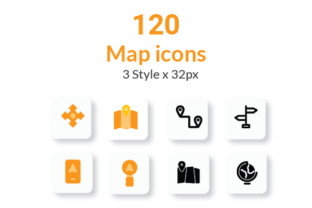
When you're building a mobile app or designing a website that relies on location-based features, the visual language you choose for navigation and points of interest matters more than most people realize. Map Icons is a carefully crafted collection of 120 icons designed specifically for projects where geographic context, wayfinding, and spatial clarity are non-negotiable. What sets this icon set apart is its triple-style approach—Line, Solid, and Flat variations for every single icon—giving designers the flexibility to match virtually any interface aesthetic without sacrificing consistency.
Why Pixel-Perfect Consistency Changes Everything
Anyone who has tried to cobble together icons from multiple free sources knows the frustration. One icon has slightly rounded corners while the next uses sharp edges. Stroke weights shift subtly between files. When you place them side by side in a navigation bar or map interface, the inconsistency becomes glaringly obvious, even to untrained eyes. Map Icons eliminates that problem entirely. Every icon across all three styles shares identical optical sizing, aligned anchor points, and uniform visual weight.
This kind of consistency does more than just look polished. It builds trust. When users interact with your app or website, subconsciously they register whether the interface feels cohesive or thrown together. A consistent icon set signals professionalism and intentionality, which directly influences how people perceive your brand identity. For entrepreneurs and small business owners launching location-based services—whether that's a restaurant finder, a travel blog, or a delivery app—this kind of visual coherence can be the difference between someone staying on your platform or bouncing to a competitor.
The pixel-perfect rendering means these icons hold up beautifully across screen densities. Whether someone is viewing your project on a standard display or a high-resolution retina screen, the edges remain crisp and the details stay sharp. That's not a minor technical footnote; it's a fundamental requirement for any serious web design or mobile project in 2024.
Three Styles, One Unified System
The inclusion of Line, Solid, and Flat styles within Map Icons gives you a design system rather than just a collection of graphics. Each style serves a distinct purpose and communicates a different visual personality.
The Line style works beautifully in minimalist interfaces where you want the icons to feel lightweight and unobtrusive. Think of navigation drawers, secondary menu items, or sidebar elements where the icon should support the content rather than dominate it. The clean outlines feel modern and approachable, pairing well with sans serif fonts and airy layouts.
The Solid style carries more visual weight, making it ideal for primary action buttons, highlighted map markers, or any context where you need the icon to command attention. When you're designing a mobile app's home screen or a website hero section featuring interactive maps, solid icons anchor the visual hierarchy effectively.
The Flat style occupies the middle ground, offering a filled appearance without the heavy presence of pure solid icons. This makes it exceptionally versatile for editorial design, social media graphics, and presentation materials where you need icons that feel substantial but not overpowering.
Having all three styles available means you can create visual depth within a single project. Use solid icons for primary actions, line icons for secondary elements, and flat icons for informational callouts. This layered approach to iconography mirrors how professional design teams think about visual hierarchy, and Map Icons puts that capability in your hands regardless of your experience level.
Practical Applications Across Industries
The real value of a well-built icon set reveals itself in how many different contexts it can serve. Map Icons isn't limited to literal map applications. Consider these practical scenarios where the set proves genuinely useful.
Travel and hospitality brands can use these icons throughout their web design, booking interfaces, and printed collateral. A boutique hotel might use the restaurant icon on their dining page, the parking icon for directions, and the attraction icons in their local guide section—all while maintaining perfect visual consistency across digital and print formats.
Content creators and bloggers covering travel, food, or local culture can integrate Map Icons into their social media graphics and editorial layouts. Rather than searching for individual icons every time you publish a new post, you have a complete library ready to go. The consistent style means your Instagram highlights, Pinterest pins, and blog graphics all feel like they belong to the same brand.
Small business owners building their first app or updating their website will find particular value in the customization options. Every icon is highly customizable—you can adjust color, size, and stroke width to match your existing brand identity precisely. If your brand uses a specific shade of teal with particular line weights, Map Icons adapts to that specification without any awkward scaling artifacts or visual mismatches.
Marketing teams and agencies working on packaging design or print campaigns can leverage the included Adobe Illustrator project file for maximum control. Being able to modify individual anchor points, adjust curves, and export at any resolution means these icons integrate seamlessly into professional design workflows. The SVG, PNG, and EPS format options ensure compatibility with virtually any software your team might be using.
Compatibility That Respects Your Workflow
One aspect of Map Icons that deserves particular attention is its native compatibility with the tools designers actually use. Whether your primary workspace is Figma, Adobe XD, or Sketch, the icons integrate directly without conversion headaches or file corruption issues. This matters because workflow friction kills productivity. When you have to spend twenty minutes converting and reformatting assets before you can even start designing, it disrupts creative momentum and adds unnecessary time to project timelines.
The Figma compatibility is especially relevant given how many design teams and solo creators have adopted it as their primary tool. Having Map Icons available as properly structured components within Figma means you can swap between Line, Solid, and Flat styles in seconds, adjust colors using Figma's native color tools, and maintain everything within a single collaborative environment.
For those who prefer working in Adobe XD, the integration feels equally natural. And because the Adobe Illustrator project file is included, anyone on your team who needs to make granular adjustments to individual icons has full access to the source vectors. This level of file inclusion is what separates genuinely premium design assets from the countless icon packs floating around the internet that offer limited formats and zero source files.
Making the Right Choice for Your Project
Evaluating whether Map Icons fits your project comes down to a few practical questions. First, does your project involve any geographic, navigational, or location-based elements? If you're building a store locator, a delivery tracking interface, a tourism website, or even an event page with venue information, having purpose-built map icons will serve you far better than generic UI icon sets.
Second, consider the level of customization you need. If your project demands exact color matching, specific stroke weights, or precise sizing adjustments, the fact that these icons are built as clean vector files with well-organized layers makes that customization straightforward. You're not fighting with flattened graphics or locked elements.
Third, think about longevity. A good icon set should grow with your project. As your app evolves, as your website expands, as your marketing materials multiply, you want an icon library that can support new use cases without introducing visual inconsistency. With 120 icons across three styles, Map Icons provides enough depth to handle most location-based and general-purpose icon needs without requiring supplemental purchases.
When testing font pairings with your icon-integrated designs, remember that icons and typography work together to create a unified visual language. Clean, geometric sans serif fonts tend to pair naturally with the precise, modern aesthetic of Map Icons. If your project leans more editorial or sophisticated, consider how the icon style you choose—Line, Solid, or Flat—complements your heading and body typeface selections. The goal is always a harmonious relationship between every visual element on the screen or page.
Map Icons represents the kind of thoughtful, production-ready design asset that saves time, elevates quality, and supports real creative work. Whether you're a seasoned designer managing multiple client projects or a business owner building your first digital presence, having a reliable, consistent, and beautifully crafted icon set at your disposal makes every project start from a stronger foundation.